

A tour that waits for your user, not a timer
Steps advance on real user action — a click, an input — not a fixed delay. Closer to a guided task than a passive slideshow.
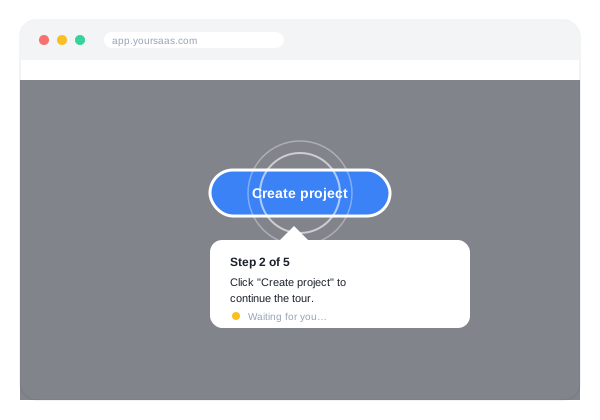
Playback is built on driver.js, a focused, dependency-light highlighting engine. For every step, Introwiz:
- Highlights the exact target element with a focused overlay, dimming the rest of the page
- Waits for real interaction — a click, an input — before advancing to the next step
- Supports conditional steps, so a step can require something specific to happen, not just “any click”
- Shows a waiting indicator while the next target element loads on the page
Why interaction-driven playback matters
A lot of onboarding tools are really just a slideshow with a “Next” button. Users click through without doing anything, and the tour ends without the user having actually learned the flow. Because Introwiz steps only advance when the user does the real thing — clicks the actual button, fills the actual field — completing a tour means the user has genuinely completed the task it was teaching.
Multi-page playback
The engine doesn’t just track element positions on one page — it survives full page navigations, so a single Tutorial can guide someone through a setup wizard that spans several URLs. See Multi-page tours for details.
What it isn’t
The Tutorial Engine plays back Tutorials you’ve authored — it doesn’t include in-app analytics or completion-rate reporting today. If you need to know whether a tour was completed, that’s currently something to track on your own end.
More features
Stop writing manuals. Start recording tours.
Start your free trialRecord your product once, publish an interactive walkthrough your users actually finish. Free trial, card required, cancel anytime.