


Built for teams from the start
Not a single-user tool. Invite your team, assign roles and permissions, and brand the widget your users see.
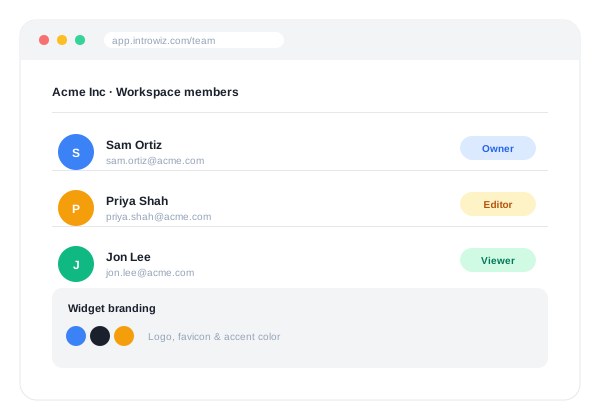
Introwiz’s data model is multi-tenant from the ground up — it isn’t a single-user tool with team access bolted on afterward.
Workspaces
Every customer operates inside a Workspace: a container for your Intros, Tutorials, team members, and branding settings. Agencies and consultants managing onboarding for multiple client products can run each client as its own Workspace.
Members, roles, and permissions
Invite teammates into your Workspace and assign roles. Under the hood, a granular resource-and-action permission system controls things like who can create or publish an Intro versus who can only view one.
Custom branding
Each Workspace can configure its own branding for how the tour widget appears to end users — logo, favicon, and accent color — including domain-based branding resolution, so the widget matches the product it’s embedded in rather than looking like a generic third-party overlay.
Intros and Tutorials
Within a Workspace, an Intro is the top-level container tied to a specific site or product — think “the onboarding experience for Product X.” Each Intro holds multiple Tutorials (for example, “Create your first project” or “Invite a teammate”), and each Tutorial is made up of ordered steps.
More features
Stop writing manuals. Start recording tours.
Start your free trialRecord your product once, publish an interactive walkthrough your users actually finish. Free trial, card required, cancel anytime.