


Author tours by doing, not by placing tooltips
Click record, walk through your product, and Introwiz captures every step automatically — across as many pages as your flow needs.
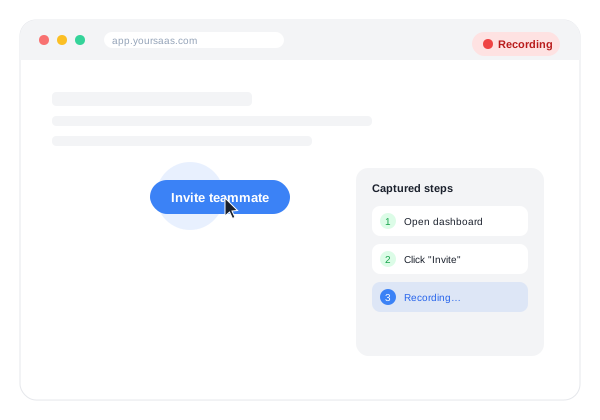
Most tooltip tools make you place every step by hand: pick a selector, position a box, write the copy, repeat for every step of every tutorial. The Recorder skips that entirely.
How it works
- Open the Recorder from your workspace and click Record.
- Walk through the flow exactly as a new user would — click buttons, fill fields, move between pages.
- Introwiz captures each interaction as a step: the target element, the action, and the page it happened on.
- Stop recording. You now have an ordered draft of every step, ready to edit.
What gets captured
- Clicks on buttons, links, and other interactive elements
- Input typed into form fields
- Navigation between pages, including full URL changes
Recording survives page navigation
Recording state persists across page loads, so you can capture a flow that spans a login page, a setup wizard, and a dashboard in one continuous recording — the Recorder automatically resumes after each navigation instead of losing your place.
After recording
Every captured step can be edited, reordered, or removed before you group them into a Tutorial under an Intro. An AI-assisted generation step (powered by Gemini) can also turn the raw recorded data into a first draft of step copy, so you’re editing rather than writing from a blank page.
warning
The Recorder captures what’s on the page, including form field values. Avoid recording flows that involve passwords, payment details, or other sensitive personal data — the tutorial you save will contain whatever was on screen while you recorded it.
More features
Stop writing manuals. Start recording tours.
Start your free trialRecord your product once, publish an interactive walkthrough your users actually finish. Free trial, card required, cancel anytime.